 Photo Video Editor
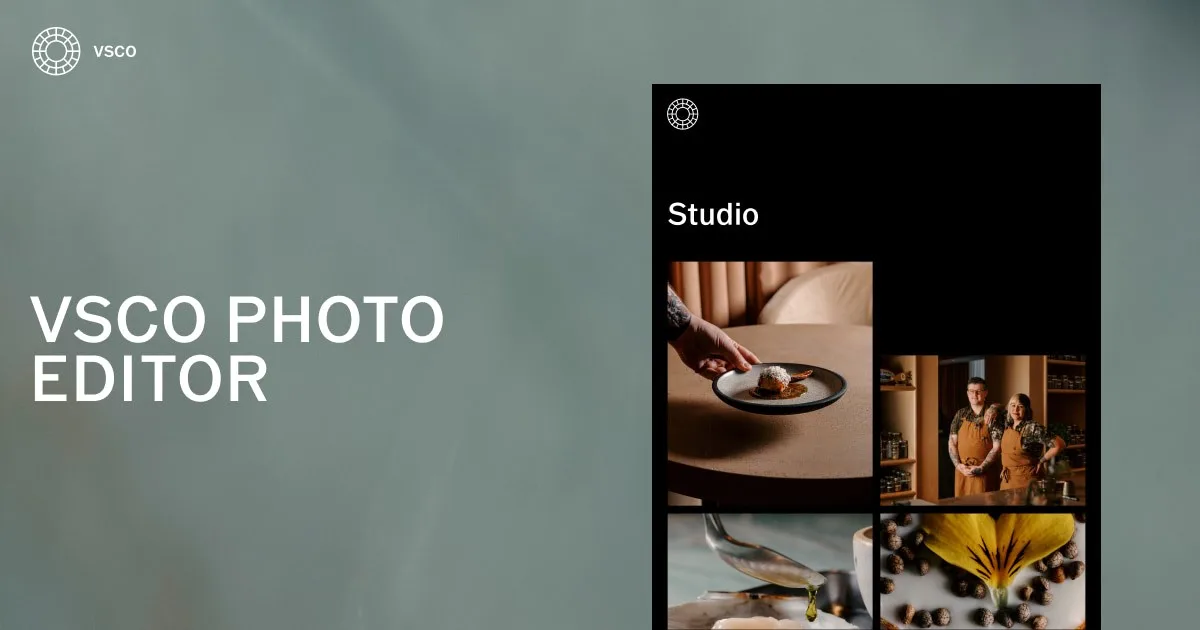
Most photographers do not need dozens of confusing panels just to dial in a clean film look. They want subtle color science, tactile control over highlights, and an interface that does not get in the way. Whether you are cutting social graphics on your phone or grading a full portrait session on your desktop, having a unified workflow across devices keeps your creative output consistent.
Edit photos on mobile
Mobile creative work is about speed and touch precision. When you work from an iPhone or Android device, the mobile editor lets you pull in RAW captures directly from your camera roll, apply signature looks, and refine tones with responsive sliders. You can crop for vertical reels or square feeds, adjust temperature, and publish straight to your channels without exporting through a computer first.
Edit photos online
Desktop screens give you the room you need to judge sharpness, subtle shadow details, and color banding accurately. Launching a web studio gives you full-resolution creative control on Mac and Windows without forcing you into huge software installs. If you frequently handle photo editing online, working in your browser means you can jump into a project from any computer, refine your exposure curves, and maintain identical color fidelity across your entire catalog.
Edit with photo presets built to define your style
Presets are more than simple overlays. Quality film emulations replicate the chemical reactions of classic analog film stocks from Kodak, Fuji, Ilford, and Agfa. That means highlight roll-offs stay soft, shadow contrast remains gentle, and skin tones do not turn radioactive.
When you practice photo editing vsco workflows, you can dial preset strength up or down, adjust warm shifts, and tune grain size. Finding a signature style comes down to picking two or three go-to emulations and adjusting your base exposure so your portfolio feels like one cohesive body of work.
Take studio editing power anywhere you go
A fragmented workflow ruins momentum. Starting an edit on your phone during a commute and finishing it at your desk should not require starting from scratch. When your mobile app and desktop studio share the exact same editing engine, your adjustments map across screens cleanly. You do not lose custom recipes, aspect ratio crops, or color calibration settings when switching hardware.
Deliver your vision with powerful AI photo editing
Modern editing platforms lean on machine intelligence to handle repetitive, tedious tasks. An AI photo editor handles complex pixel calculations so you do not spend forty minutes brushing out telephone wires or stray hairs.
- AI Remove: Erase photobombers, trash cans, or background clutter without leaving smear artifacts.
- AI Upscale: Enhance lower-resolution crops or social images to print-ready dimensions while preserving crisp edges.
- Photo editing and background change: Separate your subject automatically to replace distracting backdrops or isolate studio lighting.
- Dehaze and Noise Reduction: Salvage high-ISO night shots without smudging away real skin texture.
Everything you need to edit like a pro
High-end results depend on reliable tools that behave predictably on every frame. Here is a closer look at the core controls that shape professional output:
Film Grain
Digital sensors often produce images that look sterile. Adding organic film grain introduces optical texture, softens harsh digital edges, and helps blend shadow gradients smoothly.
Film Filters
Vintage looks modeled after historic film stocks bring timeless color palettes to modern digital sensors. These profiles adjust color matrices dynamically based on luminance values, keeping highlights clean while tinting deep blacks.
Film Effects
Beyond color, tactile film character comes from light leaks, frame borders, halation around bright light sources, and subtle lens prism effects that emulate vintage glass.
HSL
Hue, Saturation, and Luminance (HSL) sliders give you surgical control over individual color bands. If grass looks overly neon, you can pull green saturation down and shift the hue toward yellow without altering skin tones.
White Balance
Fluorescent office tubes and tungsten home bulbs can introduce harsh casts. Adjusting Kelvin temperature and tint balance restores neutral whites and natural complexion tones.
Collage Maker
Combine multiple frames, mood boards, text overlays, and graphic frames into unified layouts. It is ideal for sharing before-and-after comparisons or client concept sheets in one graphic.
Photo editor vs Photoshop: Choosing the right workflow
Many creators ask whether a mobile-first preset editor can replace heavy desktop software. When comparing a photo editor vs photoshop, the right choice depends on your production goals, turnaround times, and the level of pixel-level manipulation required.
| Feature / Need | Mobile & Web Preset Editor | Adobe Photoshop |
|---|---|---|
| Primary Purpose | Color grading, film aesthetics, fast batch output | Pixel manipulation, compositing, detailed retouching |
| Learning Curve | Minutes to master intuitive sliders | Steep, requires extensive software training |
| Speed & Turnaround | Instant preset application and rapid mobile sync | Slower, manual layer-by-layer workflow |
| Hardware Requirements | Runs smoothly on phones, tablets, or web browsers | Demands high RAM and dedicated GPU power |
| File Handling | RAW, JPEG, HEIC, MP4 video | PSD, PSB, TIFF, RAW via Camera Raw plug-in |
For day-to-day visual branding, social media posts, and lifestyle galleries, a streamlined photo editor vsco workflow offers unmatched speed. If you are doing advanced commercial composites with dozens of cutouts, Photoshop remains the standard. For general advice on tone adjustments and composition, check out our comprehensive photo editing guide.
Your presets, your style, your whole screen
Editing on a laptop or desktop monitor changes how you evaluate your work. With full-screen viewports, you catch chromatic aberration, micro-contrast issues, and subtle clipping that phone screens hide. You can organize your custom presets, build reusable recipes, and batch-grade entire sets with consistent parameters.
Edit and Deliver at Professional Speed
Commercial shoots require quick turnaround times. High-volume tools like Studio Pro allow you to import full galleries, apply a tailored grade across hundreds of frames, and preview changes in real time. Features like Style Match analyze an existing reference photo, reverse-engineer its tonal curve, and apply a matching profile across your new shots.
When preparing assets for client delivery or archival records, managing metadata matters. Using a photo date taken editor to adjust your photo editing date stamps helps keep shoot timelines organized, especially when cameras were set to different time zones during an event.
Outsourcing vs In-House: Photo editing cost per photo
If you run a photography business or e-commerce storefront, you often face the choice between editing files yourself or hiring retouchers. The typical photo editing cost per photo ranges widely depending on region and complexity:
- Standard color correction: $0.20 to $1.00 per frame for bulk event passes.
- Product clipping and cleanups: $0.50 to $3.00 per image.
- High-end portrait retouching: $5.00 to $25.00+ per photo for manual frequency separation and dodging.
- Photo editing cost per photo in india: Many international teams outsource high-volume work to Indian studios where rates often sit between ₹15 to ₹75 ($0.20 to $0.90) per picture for standard catalog edits.
Adopting streamlined in-browser and mobile editing systems lets solo creators handle bulk grading on their own, cutting studio overhead without sacrificing visual identity.
Photo editing and printing
Exporting an image for an Instagram story is very different from prepping a file for physical ink. When doing photo editing and printing, remember these key prep steps:
- Color Space: Convert from sRGB (web standard) to Adobe RGB or ProPhoto RGB if your print lab supports wide-gamut printing.
- Resolution: Keep output at 300 DPI at the target print dimensions to prevent soft pixelation.
- Shadow Lift: Paper absorbs ink, which makes shadows look darker in print than on backlit glass. Lift your black point slightly before sending files to print.
If you search for photo editing and printing near me, local print labs often provide custom ICC color profiles that you can soft-proof on desktop to see exactly how your ink will translate on matte or glossy paper.
Get Help
Mastering tools takes practice. If you encounter issues with RAW imports, preset syncing, or account management, visit dedicated support centers, tutorials, and knowledge bases to keep your editing pipeline smooth.
What’s New
Editing software evolves rapidly. Recent updates focus on automated subject masking, faster browser-based rendering pipelines, and richer video grading capabilities so your clips match your still photographs.
Download VSCO
The VSCO ecosystem connects mobile photography, desktop grading, and creative sharing. You can download the app on iOS from the Apple App Store, on Android via Google Play, or launch the web studio directly on your Mac or PC browser. To discover more options for mobile shooters, explore our list of the best free photo editing apps available today.
WHERE PHOTOGRAPHERS TURN PRO
From amateur smartphone captures to commercial studio portfolios, developing a recognizable look is what sets working creatives apart. With thoughtful color science, intuitive tools, and fast desktop workflows, you spend less time wrestling with menus and more time shooting.
Frequently asked questions
What is the VSCO photo editor?
VSCO is an imaging platform that combines film-emulation filters, manual exposure tools, and RAW editing capabilities. It is available on iOS, Android, and as an online desktop studio for Mac and Windows.
Is the photo editor free to use?
The basic app offers free access to essential editing adjustments, cropping tools, and a starter pack of presets. Unlocking the full library of film stocks, HSL color grading, video editing, and AI tools requires a paid membership.
What editing tools are available in VSCO?
It provides analog film presets, grain, vignette, fade, split toning, white balance, HSL adjustments, and borders. The AI Lab suite adds automated object removal, image upscaling, and background adjustments.
Does VSCO support RAW photo editing?
Yes. Supported devices can import and edit uncompressed RAW image files, giving you greater dynamic range when recovering blown highlights and deep shadow details.
Can I save and reuse my edits in VSCO?
Yes. You can save your adjustment sequences as custom Recipes. This allows you to reapply your favorite contrast, color, and grain formulas to future images with a single tap.
Can I edit photos on my phone?
Yes. The mobile app runs on both iPhone and Android devices, offering real-time camera capture with live filters and a full suite of post-processing controls.
Can I edit photos on my computer?
Yes. You can access the Web Studio through any modern browser on Mac or PC, allowing you to grade full-resolution photos on large monitors without installing heavy software packages.
Can I edit videos using VSCO?
Yes. Paid members can grade video footage using the exact same film presets and color tools used for still photography, keeping social clips and photos visually matched.
Is VSCO an AI photo editor?
VSCO integrates AI-assisted features through its AI Lab, including intelligent object removal and detail upscaling, while keeping manual creative control in your hands.
How is the VSCO app different from Studio Pro?
The standard app serves solo creators who want intuitive mobile editing and community sharing. Studio Pro caters to commercial photographers who need batch workflows for up to 100 photos at once, advanced Style Match grading, and high-speed desktop tools.
how photo editing
Photo editing is the process of altering a photographic image to improve its composition, lighting, and aesthetic appeal. It begins with basic framing and exposure balance, followed by color grading and sharpening to produce a polished final deliverable.
how photo editing in photoshop
In Photoshop, editing revolves around non-destructive adjustment layers, Camera Raw filters, and layer masks. You balance lighting with curves, isolate subjects with selection brushes, and retouch blemishes using the healing brush tool.
how photo editing app
A photo editing app provides streamlined touch-based tools for quick post-processing on mobile devices. You load a picture from your camera roll, tap an emulation preset to set the mood, fine-tune sliders for brightness and warmth, and export.
how photo editing in ai
AI photo editing automates complex manual selections. Deep learning models evaluate scene elements to isolate backgrounds, clean up unwanted objects, balance skin tones, and increase image resolution with minimal manual input.
what photo editing apps are free
Popular free mobile editing options include Snapseed, the base versions of VSCO and Lightroom Mobile, and browser-based tools that allow basic cropping, contrast adjustments, and filter application without cost.
what photo editing software is free
Notable free desktop software includes GIMP, Darktable, RawTherapee, and browser-based photo editors that run locally on your device without watermarks or mandatory sign-ups.
Everything in this article works in the browser editor. No watermark, no account.