 Photo Video Editor
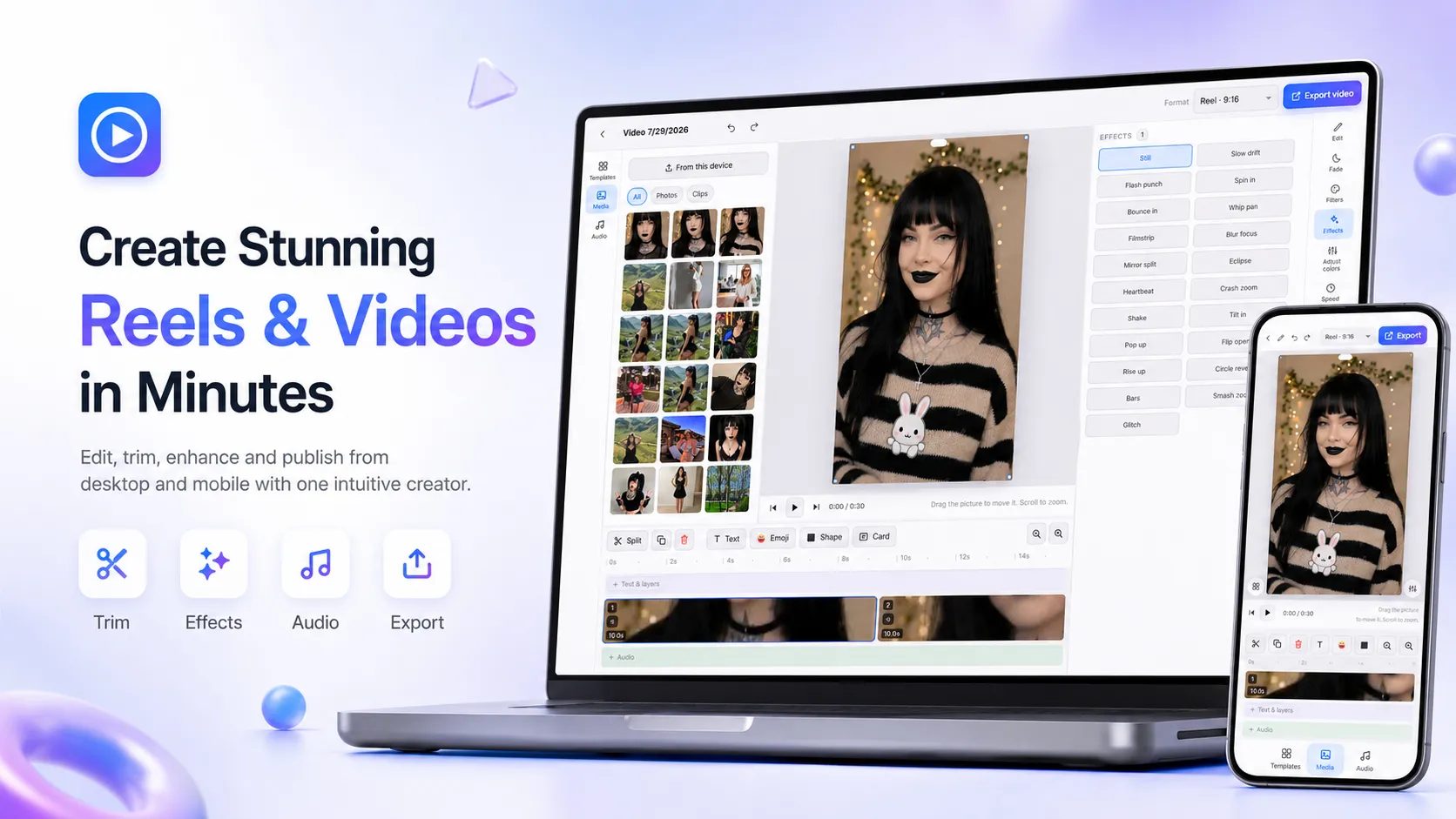
Creating Instagram Reels, TikTok videos, and YouTube Shorts no longer requires expensive software or complicated desktop programs. A growing number of free reel creators and reel creator apps now let anyone turn raw clips into polished short-form videos in minutes.
Here’s a clear, practical overview of what the best free options offer and how to use them effectively.
What Is a Free Reel Creator?
A free reel creator (sometimes called a reel maker or Instagram Reel maker) is an online tool or mobile app that helps you:
- Trim and arrange video clips
- Add music, text, and captions
- Apply transitions and effects
- Export vertical 9:16 videos ready for Reels, Shorts, and TikTok
Most modern free reel creators work directly in your browser or as simple mobile apps. Many require no download and start free with no credit card.
Key Features You’ll Find in Top Free Reel Creators
Across the best tools (Canva, CapCut, Flixier, Adobe Express, and browser-based editors), these features stand out:
- Drag-and-drop timeline – Arrange clips, photos, and text without technical skills
- Vertical 9:16 presets – Automatically sized for Instagram Reels, TikTok, and YouTube Shorts
- Music & audio libraries – Free tracks, trending sounds, or the ability to upload your own
- Auto captions / subtitles – Generated and stylized so videos work even on mute
- Templates – Hundreds to thousands of ready-made layouts for different niches
- Trim, crop, speed control, and transitions – Core editing tools available for free
- Export without watermark (on many free plans) – Clean MP4 files ready to post
- Browser-based options – No install needed; works on any device with internet
Some tools also add AI features such as auto-highlight detection, beat sync, or text-to-video generation.
How to Make a Reel with a Free Reel Creator (Simple Steps)
- Open a free reel creator
Launch a browser-based tool or open a free app such as CapCut, Canva, or a dedicated online reel maker. - Choose a format or template
Select the 9:16 vertical canvas or pick a free Instagram Reel template. - Upload your media
Add video clips, photos, or even import from YouTube/SoundCloud in some tools. - Edit the timeline
Trim unwanted parts, rearrange clips, adjust speed, and add transitions. - Enhance the video
Add music, animated text, captions, stickers, or simple graphics. Use beat sync if available so cuts match the audio. - Export and post
Download the finished MP4 (ideally without watermark) and upload directly to Instagram Reels, TikTok, or YouTube Shorts.
The whole process can take just a few minutes once you’re familiar with the interface.
Best Types of Free Reel Creators in 2026
- Browser-based reel creators – No install, work on any computer (examples include tools like Flixier and dedicated Reels editors). Ideal if you want to avoid apps.
- All-in-one free apps – CapCut remains one of the strongest free options with templates, effects, and clean exports.
- Design-focused makers – Canva and Adobe Express excel when you want branded, template-driven Reels with graphics and text.
- AI-assisted creators – Tools that automatically find highlights from longer videos and turn them into short Reels.
Why Creators Prefer Free Reel Creators
- No subscription required for basic use
- Fast turnaround for daily posting
- Mobile + desktop flexibility
- Ability to repurpose long videos into multiple short Reels
- Clean exports that avoid Instagram’s preference against watermarked content
Quick Tips for Better Results
- Keep the first 1–3 seconds strong (hook viewers immediately)
- Add captions — most people watch without sound
- Stick to 15–60 seconds for highest engagement
- Use trending audio when it fits your content
- Export in high quality and check the safe zones so text isn’t cut off
Final Thoughts
A free reel creator or reel creator app removes most of the friction from short-form video. Whether you prefer a simple browser tool that needs no signup or a feature-rich free app, you can now produce professional-looking Reels without spending money or learning complex software.
The best approach is to try two or three free options, see which interface feels fastest for your workflow, and start posting consistently.
Everything on this page works in the browser editor. No watermark, no account, and your files never leave your device.