 Photo Video Editor
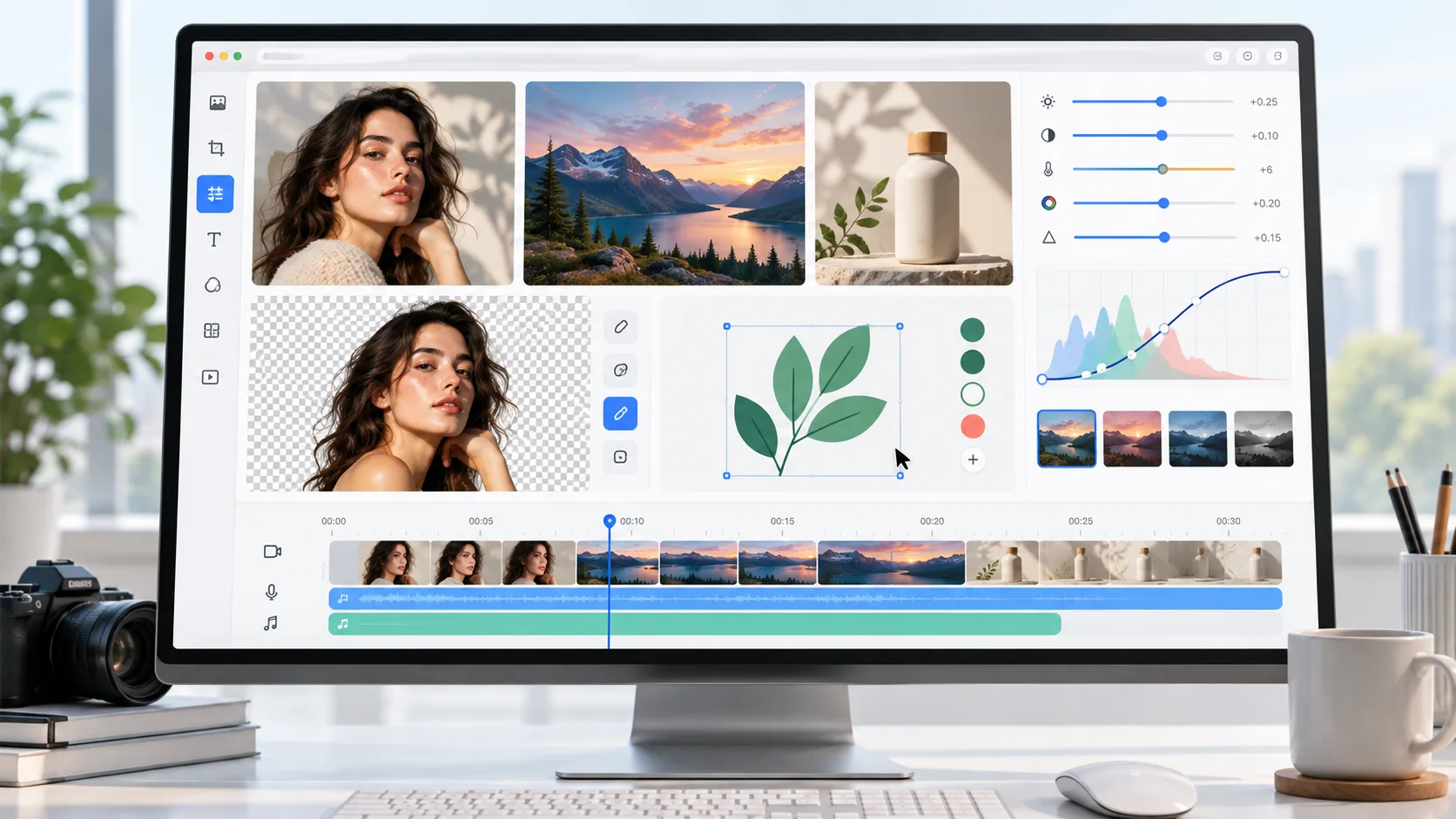
The best photo editing software depends on the job you need to complete. Professionals may need raw processing, cataloguing, masks, layers, metadata, and detailed colour control, while beginners and hobbyists may only need cropping, exposure correction, background removal, retouching, or social media templates.
Adobe Lightroom Classic remains a strong choice for professional photo workflows, while Adobe Photoshop leads for detailed image manipulation, compositing, and design. Capture One, DxO PhotoLab, CyberLink PhotoDirector, Photoshop Elements, Photopea, Luminar Neo, and Zoner Studio each serve different needs. Browser-based editors are also useful when you want to edit online without installing software.
Best Photo Editing Software Compared
| Software | Best for | Strengths | Watch-outs |
|---|---|---|---|
| Adobe Lightroom Classic | Professionals | Non-destructive editing, catalogues, metadata, raw files, plug-ins, and presets | AI features may be demanding on slower computers |
| Adobe Photoshop | Detailed image manipulation and design | Layers, masks, retouching, compositing, correction, and creative design | The interface can be complex |
| Adobe Lightroom | Cloud-based photo workflow | Editing, organization, syncing, and cross-device access | Cloud storage and subscription costs need checking |
| Adobe Photoshop Elements | Hobbyists | Guided edits, face tagging, geotagging, and approachable effects | Limited lens corrections and cloud storage |
| Capture One | Raw file rendering | Detailed raw processing, tethered shooting, and professional colour control | Can be expensive and specialised |
| CyberLink PhotoDirector | Editing, workflow, and effects | Organization, core editing, AI tools, effects, and affordable licence options | Raw conversion and noise reduction trail leading alternatives |
| DxO PhotoLab | Noise reduction and camera corrections | Excellent camera and lens profiles and strong noise reduction | Fewer organization features and limited format support |
| Photopea | Web-based editing | Photoshop-like layers, selections, masks, and familiar tools | Advanced AI and online storage may require payment |
| Skylum Luminar Neo | Creative effects and AI-assisted fixes | Portrait tools, sky replacement, object removal, and distinctive effects | Workflow depth may not match specialist cataloguing tools |
| Zoner Studio | Low-cost all-in-one editing | Organization, adjustments, effects, layers, and some video tools | Platform support and availability should be checked |
How to Choose Photo Editing Software
Choose software according to your workflow rather than the length of its feature list. Large camera archives benefit from catalogues, metadata, raw support, batch edits, and local storage. Detailed retouching and composites require layers, masks, selections, healing tools, and colour control. Fast online edits are best handled by browser-based software with simple controls and reliable downloads.
For social graphics, look for templates, resizing, text, background tools, and flexible exports. Product photography benefits from background removal, consistent framing, and object-safe retouching. If you need photo editing video, choose an editor with a timeline, trimming, captions, audio, and MP4 export.
Best Photo Editing Software for Beginners and Hobbyists
Built-in apps remain useful for basic edits. Apple Photos works across Apple devices, Google Photos is available on Android and ChromeOS, and Microsoft Photos is included with Windows. These apps provide straightforward light and colour controls, organization, albums, and sharing features.
Lightroom is useful for photographers who want to learn through its Discover community, while Photoshop Elements provides Guided Edits for special effects. Hobbyists should also check raw-file compatibility, non-destructive editing, batch processing, export quality, and whether the application works with their camera and operating system.
Free Photo Editing Software
Free options include Apple Photos, Google Photos, Microsoft Photos, Photopea, Canva, Picsart, Pixlr, and browser-based editors. Free tiers may differ in account requirements, storage, premium assets, AI usage, export formats, and watermarks.
Photovideoeditor provides browser-based photo and video tools without requiring an account or installation. Files stay on the device, and exports do not include a watermark. It can be used for cropping, resizing, retouching, background changes, social graphics, product images, and other one-off edits.
Photo Editing Online Without an Account
A browser editor can be the most practical option when you want to finish a quick task without installing a desktop application. Open the editor, select a photo or video tool, make the required changes, review the result, and export it in the available format. Photovideoeditor also offers tools for logos, business cards, flyers, posters, thumbnails, reels, shorts, and stories.
Optional AI tools can create product shots, generate headshot variations, repair images, remove objects, or change backgrounds. Review AI results carefully, especially around faces, hands, text, logos, reflections, hair, transparent objects, and fine edges. Check the displayed price before using paid AI credits.
How Photo Editing Works
Start by preserving the original file. Crop and straighten first, then correct exposure and white balance. Adjust contrast and colour, reduce noise or sharpen carefully, retouch distractions, and use masks or selections for local changes. Finally, resize and export a copy for its intended destination.
For Photoshop workflows, duplicate the background layer and use adjustment layers and masks wherever possible. Save the layered working file separately, then export a JPEG for ordinary photographs, PNG for transparency or sharp graphics, and the print-ready format requested by the printer.
Output and Sharing
JPEG is generally suitable for photographs, PNG works well when transparency or crisp graphics are needed, and WebP can reduce file size when supported. SVG is intended for vector artwork such as logos, not ordinary photographs. MP4 is a common format for exported video. Before downloading, check pixel dimensions, compression, colour profile, transparency, and the requirements of the final platform.
AI Photo Editing
AI can accelerate background removal, object cleanup, portrait generation, photo repair, and product photography. Automated edits can still make mistakes, so compare the result with the original and inspect it at 100 percent. Keep an untouched copy of the original and confirm any AI charges before running paid tools.
Everything in this article works in the browser editor. No watermark, no account.