 Photo Video Editor
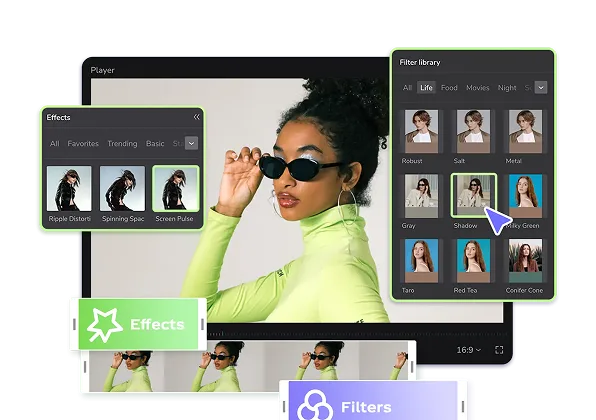
A photo editing template provides a prebuilt arrangement of image slots, typography, colors, spacing, effects, and sometimes motion. Replace the sample media with your own photos or clips, then adjust the crop, order, contrast, text, timing, and branding.
Free photo templates can speed up social posts, stories, reels, collages, product announcements, invitations, marketing campaigns, presentations, and personal photo projects. Browser-based tools such as Photo Video Editor make it possible to edit without installing software or creating an account, while exports can be made without a watermark.
How to choose a photo template
- Confirm the canvas size, such as square, portrait, landscape, or vertical video.
- Check how many photos or clips are required.
- Make sure there is enough space for your headline, logo, and key subjects.
- Review how automatic cropping handles faces, products, and important details.
- Choose the correct export type, such as an image or MP4 video.
- Use only photos, clips, fonts, and other assets you own or have permission to use.
How to create a photo template edit
- Choose a template and the output format you need.
- Prepare the required photos plus a few backup images.
- Replace the sample media and adjust every crop manually.
- Rewrite the text so it communicates one clear message.
- Check contrast, faces, products, logos, and private information.
- Preview the complete design at its final viewing size.
- Export the finished image or MP4 video.
Prepare genuinely useful images rather than filling a large layout with near-duplicates. Arrange the photos like a story: open with an establishing image, use the middle for details or action, and finish with a deliberate closing frame. Match the template to your content, since a complex collage may be less effective than one strong photo and a short headline.
Photo templates versus blank-canvas editors
Templates are faster when the existing structure is close to your needs. A blank canvas is better for unusual layouts, strict brand systems, custom illustrations, detailed retouching, or designs requiring precise layers and masks. When comparing free photo editing apps, check account requirements, export resolution, watermark policies, advertisements, locked templates, and supported file formats.
AI tools can remove backgrounds, clean up objects, retouch portraits, expand images, or generate product scenes, but every result should be reviewed for inaccurate edges, hands, hair, text, shadows, and product details. The best template is the one that fits your photos, message, platform, and export requirements.
Everything in this article works in the browser editor. No watermark, no account.